How to make kinetic typography without After Effects
When After Effects is worth it, what it costs and needs, and a step-by-step way to make a kinetic typography video in your browser instead.
Published November 22, 2026 · By the TypographyEdit team · All posts
Quick answer
You can make a kinetic typography video without After Effects by using a browser tool that turns a script into animated text for you. In TypographyEdit, you paste a script, choose a template, adjust the words, colors, and timing, and download an MP4. There is nothing to install, and rendering happens on your own device. The free plan uses the Classic template and adds a watermark; Pro is $9 USD per month.
After Effects is still the better choice for some projects, though. This guide covers when it is worth it, what it costs and needs according to Adobe, and a step-by-step walkthrough of the browser route. Adobe details were checked on Adobe's own pages on November 22, 2026.
What kinetic typography actually needs
Kinetic typography is text that moves in time with an idea, a voiceover, or music. Strip away the software and every good piece has the same ingredients:
- A short, focused script. One message the viewer should remember.
- Beats. The script split into phrases that each appear on screen long enough to read.
- Emphasis. A few words that get a different size, color, or motion because they carry the meaning.
- A format. Vertical 9:16 for Reels, Shorts, and TikTok; landscape 16:9 for YouTube and presentations.
- Readable timing. Motion that supports reading instead of competing with it.
A dedicated keyframe animation app gives you unlimited control over each of these. A template-based tool makes most of the decisions for you, so you can focus on the words. Which one you need depends on the project.
When After Effects is the right tool
After Effects is Adobe's desktop motion graphics application, and it is a strong choice when you need control that templates cannot offer. Adobe's help page on animating text describes three main approaches: applying text animation presets, setting keyframes, and using text animators and selectors to animate properties of individual characters or ranges of characters. With animators and selectors, you add an animator for the properties you want to change, use a selector to decide how much each character is affected, and then adjust the values. Source: Adobe, Animating text in After Effects
That system is powerful. It is the reason motion designers can build per-letter effects, 3D text, and text that follows a path. Choose After Effects if:
- you need a custom look for a brand, title sequence, or client project;
- the text must be combined with footage, 3D, or complex compositing;
- you already pay for Creative Cloud and know the timeline workflow; or
- you want to learn motion design as a skill, not only finish one video.
What After Effects costs and needs
Price. Adobe lists After Effects on its own at US$22.99/mo on the annual plan billed monthly. Adobe says After Effects is available only through a Creative Cloud subscription, paid monthly or annually, and cannot be bought outright. There is a 7-day free trial of the full version, which automatically converts to a paid membership unless you cancel before it ends. After Effects is also included in Creative Cloud Pro alongside 20+ other apps. Source: Adobe, Compare After Effects plans
Computer. Adobe's system requirements for After Effects 27.0 (November 2026) list, as minimums:
- Windows: Windows 11 v24H2, an Intel 6th generation or AMD Ryzen 1000 series or newer CPU with AVX2 support, 16 GB of RAM, a GPU with at least 4 GB of GPU memory, and 8 GB of available disk space for installation.
- macOS: macOS 15 Sequoia, Apple silicon M1, 16 GB of unified memory, and 8 GB of available disk space.
- Both: an internet connection and an Adobe ID for activation and subscription validation.
Adobe recommends 32 GB or more of RAM for 4K and higher work on Windows. Source: Adobe, After Effects system requirements
None of this is a problem if you already have the hardware and the subscription. But if you only need a short animated text video for social media or a class, it is a lot of setup for one result.
Step by step: kinetic typography in your browser with TypographyEdit
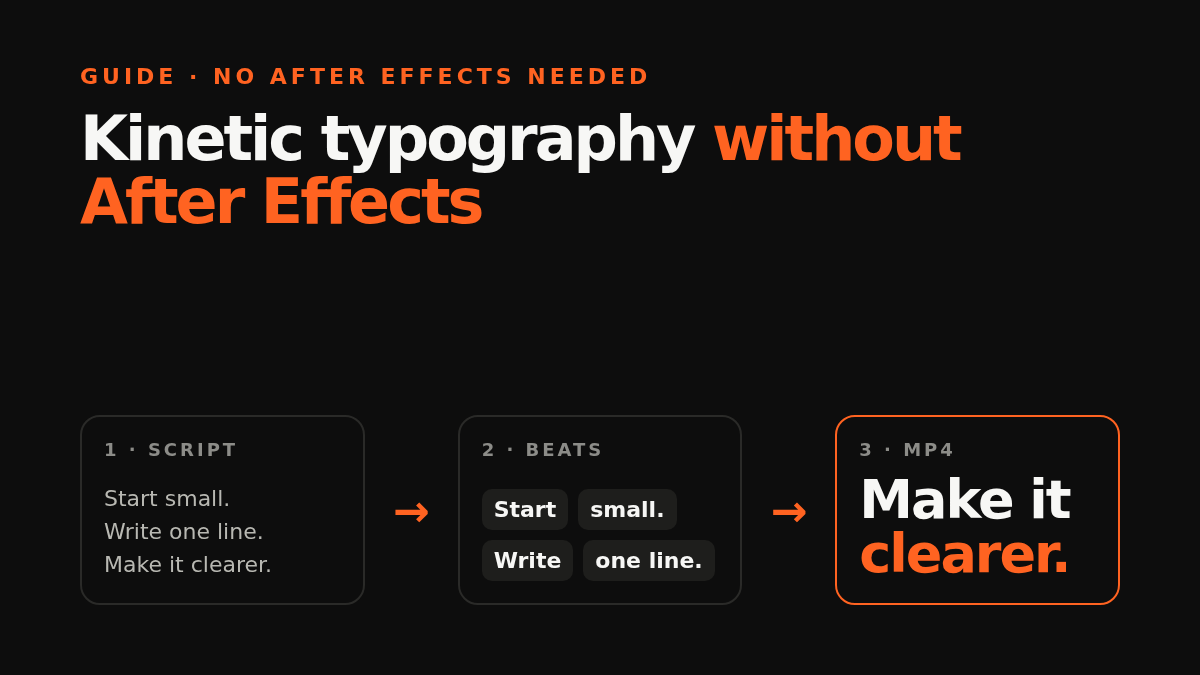
Here is the full workflow, using the same sample script as our editor documentation: “Start small. Write one line. Make it clearer. Keep going.” Four short sentences give you four clear beats.
1. Write the script first. Decide what the viewer should remember, then cut every sentence that does not support it. Motion adds emphasis, but it cannot fix a script with competing ideas. Our guide to turning a short script into a typography video walks through this in detail.
2. Paste it and choose a template. Paste the text on the home page or in the editor, then pick a style. Classic animates word by word and is included in the free plan. Dynamic builds varied scenes, and Minimal is quieter. You can preview every template before choosing; generating alternative styles uses local script analysis in your browser. You sign in with Google when you choose a template to edit.
3. Pick the format before you polish. TypographyEdit outputs vertical 9:16 at 1080 × 1920, landscape 16:9 at 1920 × 1080, and tablet 4:3 at 1024 × 768. Changing the format changes line wrapping and layout space, so set it first. See the formats and export guide.
4. Refine the beats and emphasis. Select a word or scene to change its text, colors, typography, effects, and timing. Highlight only a few meaningful words: in the sample, “small” and “clearer” carry the idea. Make one change, replay the whole sequence, and keep it only if it helps comprehension.
5. Watch it as a viewer. Play the video once without pausing. Every phrase should stay on screen long enough to read comfortably. If the last word arrives just as a scene ends, give it more time or shorten the phrase. Our readability guide covers text size, line breaks, and contrast for small screens.
6. Export the MP4. Choose export, then Download MP4. Your browser renders the video on your device, so keep the tab open until it finishes. Classic exports are free with a TypographyEdit watermark; Pro includes all templates and 100 watermark-free exports per billing month. If you need captions, download the SRT file separately from the editor. Details are on the pricing page.
A short first export is also a good test: it confirms that your browser supports video encoding before you invest time in a longer piece.
After Effects vs. a browser tool at a glance
| After Effects | TypographyEdit | |
|---|---|---|
| Runs on | Desktop app (Windows 11 or macOS 15+) | Web browser; renders on your device |
| Price | US$22.99/mo (annual plan, billed monthly); 7-day trial | Free Classic plan with watermark; Pro $9 USD/month |
| How text moves | Presets, keyframes, text animators and selectors | 16 typography styles you edit |
| Control | Per-character, 3D, compositing with footage | Words, colors, typography, effects, and timing per template |
| Output | Multiple video and image formats | MP4 in 9:16, 16:9, or 4:3, plus SRT captions |
| Best for | Custom motion design and client work | Fast script-to-video for social, education, and promos |
After Effects details from Adobe's plans and system requirements pages, checked November 22, 2026. TypographyEdit details from our pricing page and documentation.
Honest limits of the browser route
A template-based tool trades control for speed. In TypographyEdit you work within 16 typography styles rather than building animation from scratch, and it is designed for script-driven text videos rather than general footage editing or compositing. Rendering depends on your browser and device, and long scripts can strain some devices; our documentation suggests trying a shorter sequence if an export struggles. If you need any of those things, After Effects or another full motion design app is the better fit.
Other After Effects alternatives
TypographyEdit is not the only option. Our comparison of the best kinetic typography tools in 2026 looks at Swash, Jitter, CapCut, Canva, and Kapwing side by side, with free plans and prices from each official pricing page.
Sources
- Adobe: Compare After Effects plans
- Adobe: After Effects system requirements
- Adobe: Animating text in After Effects
- TypographyEdit pricing and documentation
Adobe pages checked November 22, 2026. Prices and requirements change; confirm on Adobe's site before you buy. After Effects is a trademark of Adobe. TypographyEdit is not affiliated with Adobe.